
Choosing between shared hosting vs managed hosting comes down to one trade-off: pay less and manage the server yourself, or pay more and let experts handle everything. Shared hosting places your website on a server with hundreds of other sites and hands you the maintenance, security, and updates. Managed hosting runs on optimized infrastructure where the provider handles backups, patching, performance tuning, and security for you. The right choice depends on your traffic, budget, technical skill, and how much downtime would cost your business. This guide breaks down both models across six decision factors, with current pricing, performance data, and a decision matrix so you can pick with confidence. Keep reading for the full comparison.
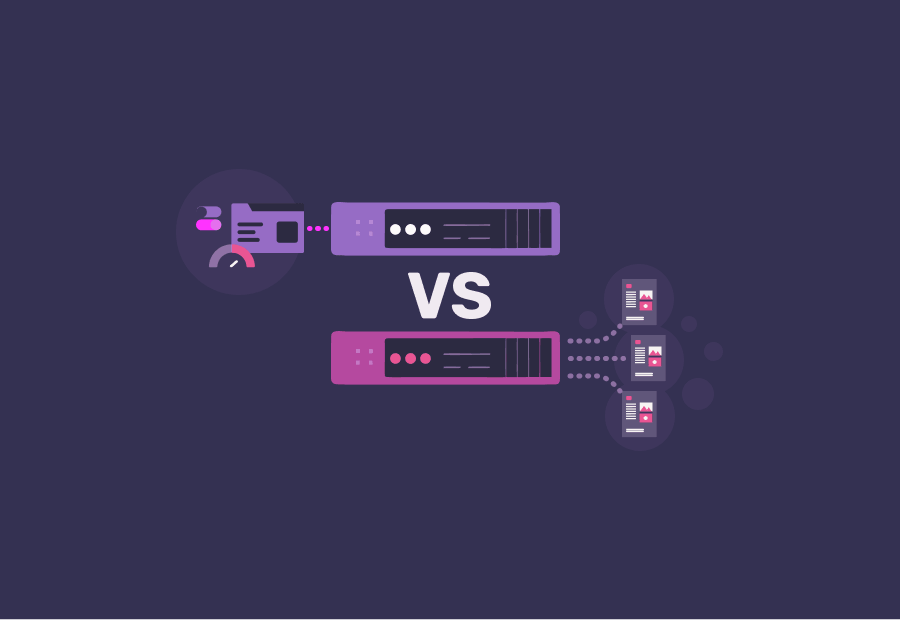
What Is the Difference Between Shared Hosting and Managed Hosting?
Quick Answer: The difference between shared hosting and managed hosting is responsibility and resources. Shared hosting is a low-cost plan where many websites share one server and you handle maintenance yourself. Managed hosting is a premium service where the provider manages updates, security, backups, and performance on optimized infrastructure. Cost, speed, and support separate them further.
Shared hosting and managed hosting sit at opposite ends of the hands-on to hands-off spectrum. With shared hosting, you rent a slice of a server alongside many other websites, and you remain responsible for installing updates, configuring security, and creating backups. With managed hosting, the provider operates as your technical team, optimizing the server, applying patches, running malware scans, and absorbing traffic spikes.
The two models also differ in price and performance. Shared hosting is the most affordable way to publish a website. Managed hosting costs more because skilled engineers, optimized caching, and proactive security are built into the service. The table below summarizes how the two compare across the factors that matter most.
| Factor | Shared Hosting | Managed Hosting |
| Typical 2026 price | $2 to $10/month intro, $10 to $40 on renewal | $15 to $50+/month |
| Server resources | Shared across hundreds of sites | Optimized allocation, isolated or dedicated |
| Performance | Variable, affected by neighbor sites | Tuned caching, CDN, faster load times |
| Security | Basic, mostly your responsibility | Proactive monitoring, firewalls, malware scans |
| Updates and backups | Manual, you handle them | Automatic, handled by the provider |
| Support | General, basic tier | Expert, platform-specific |
| Scalability | Limited, roughly 500,000 visits/month ceiling | Built to absorb traffic spikes |
| Best for | Blogs, hobby sites, low-traffic small sites | Stores, growing businesses, high-traffic sites |
What Is Shared Hosting?
Shared hosting is a web hosting service where multiple websites share the resources of a single physical server, including CPU, RAM, storage, and bandwidth. It is the most affordable and beginner-friendly hosting type because the server cost is split across many users. Shared hosting plans in 2026 typically start between $2 and $10 per month on introductory pricing, according to multiple 2026 hosting cost surveys.
Shared hosting is popular for a reason. It removes the upfront cost and technical barrier of running a website. The trade-off is that you share a fixed pool of resources with neighbors you cannot see or control.
How Does Shared Hosting Work?
Shared hosting works by partitioning one server so that many separate accounts run on the same machine while keeping their files private. Each account gets a portion of the server’s CPU, memory, and storage, and a control panel such as cPanel to manage domains, email, and files.
Because the resources are pooled, a sudden traffic surge on one website can slow down or temporarily crash neighboring sites on the same server. This is often called the “noisy neighbor” effect, and it is the defining limitation of shared environments. You also handle your own software updates, security hardening, and backups unless you add separate tools.
What Are the Pros and Cons of Shared Hosting?
Shared hosting offers low cost and simplicity but limits performance, security control, and scalability. The pros make it ideal for getting online cheaply, while the cons explain why growing sites eventually outgrow it.
Pros of shared hosting:
- Lowest entry price of any hosting type, often under $5 per month to start
- Beginner-friendly with one-click installers and an easy control panel
- No server administration knowledge required to launch
- Adequate for low-traffic blogs, portfolios, and small brochure sites
Cons of shared hosting:
- Performance dips when neighbor sites consume shared resources
- You are responsible for updates, security, and backups
- Limited ability to handle traffic spikes or sudden growth
- Renewal prices commonly rise to $10 to $40 per month after the first term
- Security incidents on the same server can affect your site’s reputation
What Is Managed Hosting?
Managed hosting is a service where the provider handles all technical server tasks, including setup, security, software updates, daily backups, performance optimization, and monitoring. It is designed for businesses and site owners who want to focus on content and revenue instead of server administration. Managed hosting in 2026 generally costs $15 to $50 or more per month, and entry-level managed plans usually run two to six times the price of basic shared hosting.
Managed hosting often takes the form of managed WordPress hosting, which is tuned specifically for the platform that powers 43.5% of all websites according to W3Techs and Hostinger 2026 data. The managed model shifts the operational burden from you to a team of specialists.
How Does Managed Hosting Work?
Managed hosting works by pairing optimized server infrastructure with a provider team that operates the environment on your behalf. The provider configures caching, content delivery networks, and security layers, then monitors the server around the clock and applies updates and patches as they release.
Instead of logging in to maintain the server, you receive a platform that stays fast, secure, and current automatically. Backups run on a schedule, malware scans run continuously, and expert support is available for platform-specific issues. For revenue-generating sites, this is the difference between reacting to problems and preventing them.
What Are the Main Managed Hosting Benefits?
The main managed hosting benefits are faster performance, stronger security, automatic maintenance, expert support, and reliable scalability. These benefits directly protect revenue for sites where downtime and slow load times cost money.
- Performance: Servers are optimized with advanced caching and CDN integration, producing faster, more consistent load times.
- Security: Providers add proactive monitoring, platform-specific firewalls, and automated malware scanning that basic shared plans lack.
- Maintenance: Core updates, plugin patches, and security fixes are applied for you, closing the gaps attackers exploit.
- Backups: Automatic backups on a regular schedule make recovery fast if something breaks.
- Support: Specialists who know the platform resolve issues quickly instead of routing you through a general queue.
- Scalability: The environment is built to absorb traffic spikes without crashing during campaigns or seasonal peaks.
For teams that want these benefits without building an in-house operations team, our fully managed hosting bundles optimization, security, and expert support into a single plan.
Shared Hosting vs Managed Hosting: 6 Key Differences Compared
Shared hosting vs managed hosting differs across six key areas: performance, security, management responsibility, pricing, scalability, and support. Shared hosting wins on raw price, while managed hosting wins on speed, protection, and reliability. Understanding each factor helps you match the hosting model to your actual business stakes rather than your monthly budget alone.
Performance and Loading Speed
Performance is the clearest difference between shared and managed hosting, with managed environments delivering faster and more consistent load times. Shared hosting performance varies because your site competes for resources with neighbors, while managed hosting uses optimized caching and CDNs tuned for speed.
Speed is not a vanity metric. A one-second delay in page load reduces conversions by about 7%, according to widely cited Akamai research. Think with Google reports that 53% of mobile visitors abandon a page that takes longer than three seconds to load. Portent data analyzed across billions of page views found that e-commerce sites loading in under two seconds convert at 3.05%, compared to 1.94% for sites loading in three to four seconds, a 57% difference. On shared hosting, a neighbor’s traffic surge can push you past those thresholds without warning.
Security, Backups, and Updates
Managed hosting provides proactive, provider-handled security and backups, while shared hosting leaves most security responsibilities to you. This difference matters because the threat landscape grew sharply in 2025 and 2026.
Patchstack recorded 11,334 new WordPress vulnerabilities in 2025, a 42% increase year over year, and reported that roughly 91% of vulnerabilities live in plugins rather than core software. The median time from disclosure to mass exploitation is about five hours, and 78% of WordPress sites hacked in 2025 had at least one outdated plugin. On a typical site running 30 or more plugins, manual patching cannot keep pace. Managed hosting closes this gap with automatic updates, daily backups, and continuous monitoring. The cost of getting this wrong is steep: small-business hack recovery averages around $14,500 according to 2026 industry estimates, far above the price of proactive protection.
Management Responsibilities
Management responsibility is the structural difference between the two models, with shared hosting placing maintenance on you and managed hosting placing it on the provider. On shared hosting, you install updates, configure security, monitor uptime, and create backups yourself.
On managed hosting, those tasks move to a dedicated team. The practical impact is time. Hours spent patching plugins, troubleshooting downtime, and restoring backups are hours not spent on content, products, or customers. Managed hosting converts that operational time back into productive time, which is why it appeals to business owners and lean teams.
Pricing and Total Cost of Ownership
Shared hosting has a lower sticker price, but managed hosting often has a lower total cost of ownership for revenue-generating sites. Shared hosting starts at $2 to $10 per month, then commonly renews at $10 to $40 per month. Managed hosting runs $15 to $50 or more per month.
The sticker price tells only part of the story. Total cost of ownership also includes the time you spend managing the server, revenue lost to slow pages, and the cost of recovering from security incidents. For a hobby site, those indirect costs are minimal, so shared hosting wins. For a store or lead-generation site, a single hour of downtime or one breach can erase years of hosting savings, which tilts the math toward managed hosting.
| Cost element | Shared Hosting | Managed Hosting |
| Monthly fee (2026) | $2 to $10 intro, $10 to $40 renewal | $15 to $50+ |
| Your management time | High, you handle everything | Low, provider handles it |
| Performance loss risk | Higher, shared resources | Lower, optimized servers |
| Security incident exposure | Higher, manual upkeep | Lower, proactive defense |
| Best total cost fit | Low-stakes, low-traffic sites | Revenue and growth sites |
Scalability and Traffic Capacity
Managed hosting scales to handle traffic spikes far more reliably than shared hosting, which has a practical ceiling. Most shared plans can support up to roughly 500,000 monthly visits before performance suffers, according to SiteGround’s 2026 hosting guidance.
Shared hosting struggles with sudden surges because resources are fixed and shared. A product launch, a viral post, or a seasonal sale can overwhelm a shared account and slow or crash the site at the worst possible moment. Managed hosting is built to flex with demand, keeping the site responsive during exactly the moments that drive the most revenue. For growing businesses, scalability is often the tipping point that justifies the upgrade.
Customer Support Quality
Managed hosting includes expert, platform-specific support, while shared hosting typically offers general, basic-tier support. On shared plans, response times and expertise vary, and you may wait in a queue for help with issues you are expected to resolve yourself.
Managed hosting support is staffed by specialists who understand the platform deeply, so problems get diagnosed and fixed faster. When your site generates revenue, fast and knowledgeable support is not a luxury, it is uptime insurance. This is one reason e-commerce operators and agencies favor managed environments.
Shared vs Managed WordPress Hosting Explained
Quick Answer: Shared vs managed WordPress hosting compares a general low-cost plan to a WordPress-optimized service. Shared hosting can run WordPress but leaves updates, caching, and security to you. Managed WordPress hosting tunes the server for WordPress, automates updates and backups, and adds WordPress-specific firewalls. The difference shows up most in speed, security, and uptime.
Shared vs managed WordPress hosting is the most common version of this comparison because WordPress powers nearly half the web. You can install WordPress on almost any shared plan, but a standard shared server is not tuned for it. You handle WordPress core updates, plugin updates, caching, and security yourself.
Managed WordPress hosting changes that. The environment is configured specifically for WordPress, with server-level caching, WordPress-aware firewalls, and automatic core and plugin updates. Given that 91% of WordPress vulnerabilities come from plugins and exploitation can begin within five hours of disclosure, automated WordPress-specific maintenance is a meaningful security advantage. For stores, managed WordPress hosting paired with WooCommerce hosting keeps checkout fast and transactions protected.
Is Managed Hosting Worth It in 2026?
Quick Answer: Managed hosting is worth it in 2026 when your website generates revenue, attracts meaningful traffic, or lacks an in-house technical team. The premium pays for speed, proactive security, automatic backups, and expert support that protect income and reputation. For a low-traffic hobby site, shared hosting is usually the smarter spend.
Managed hosting is worth it when the cost of downtime, slow pages, or a security breach exceeds the price difference between plans. For revenue-generating sites, that threshold is crossed quickly. A 7% conversion drop from a one-second slowdown, or a recovery bill averaging $14,500 after a hack, dwarfs the $20 to $40 monthly gap between shared and managed plans.
Managed hosting is not worth the premium for everyone. A personal blog, a portfolio, or a low-traffic informational site rarely needs optimized infrastructure or proactive security at scale. The honest answer depends on stakes: the higher the cost of failure, the stronger the case for managed hosting. Most growing businesses find the math favors managed hosting once their site starts driving leads or sales.
What Are the Main Types of Hosting Compared?
Quick Answer: The main hosting types compared are shared, VPS, managed (often WordPress), dedicated, and cloud hosting. They range from low-cost shared plans to high-power dedicated servers, with managed hosting layered on top of any infrastructure to add provider maintenance. The right type depends on traffic, budget, and how much control you need.
Hosting types compared along a spectrum help clarify where shared and managed hosting fit. Shared hosting sits at the affordable, hands-on end. Dedicated hosting sits at the powerful, expensive end. Managed hosting is less a separate infrastructure tier and more a service layer that can run on top of shared, VPS, or dedicated servers.
| Hosting type | Typical 2026 cost/month | Management | Best for |
| Shared | $2 to $10 | Self-managed | Beginners, low-traffic sites |
| VPS | $10 to $60 | Self or managed | Growing sites needing control |
| Managed WordPress | $15 to $50+ | Fully managed | WordPress sites, stores, businesses |
| Dedicated | $80 to $300+ | Self or managed | Enterprise, very high traffic |
| Cloud | $5 to $200+ | Varies | Scalable apps, variable traffic |
VPS hosting gives you a dedicated slice of resources on a shared machine, which improves on shared hosting but requires technical skill to manage. Cloud hosting spreads your site across multiple servers for reliability and elastic scaling. Across all of these, choosing a managed option means the provider absorbs the administration, which is the same value proposition that separates managed from shared hosting.
How Do You Choose Between Shared Hosting and Managed Hosting?
Quick Answer: Choose shared hosting if you run a low-traffic site, have a tight budget, and are comfortable handling updates and backups yourself. Choose managed hosting if your site earns revenue, gets meaningful traffic, or you lack technical time. Match the model to your stakes, not just your monthly budget.
Choosing between shared hosting and managed hosting follows a simple decision process. Work through these steps to land on the right model.
- Assess your traffic. Under roughly 25,000 monthly visits with stable patterns suits shared hosting. Higher or spiky traffic favors managed hosting.
- Weigh your revenue stakes. If the site sells, books, or generates leads, downtime and slow speed cost real money, which favors managed hosting.
- Measure your technical time. If you can confidently handle updates, security, and backups, shared hosting works. If not, managed hosting fills the gap.
- Calculate total cost, not sticker price. Add management time and risk exposure to the monthly fee before comparing.
- Plan for growth. If you expect to scale within a year, starting on managed hosting avoids a disruptive migration later.
Shared Hosting vs Managed Hosting Decision Matrix
The shared hosting vs managed hosting decision matrix maps common situations to the recommended model. Find the row that matches your site and follow the recommendation.
| Your situation | Recommended hosting | Why |
| Personal blog or hobby site, low traffic | Shared hosting | Lowest cost for simple needs |
| New small business testing an idea | Shared hosting | Affordable entry point |
| Growing site above 25,000 monthly visits | Managed hosting | Resource stability under load |
| E-commerce or WooCommerce store | Managed hosting | Uptime and speed protect revenue |
| No in-house technical team | Managed hosting | Provider handles maintenance |
| Revenue depends on uptime | Managed hosting | Proactive security and backups |
| Tight budget, willing to self-manage | Shared hosting | Control and savings |
| Frequent traffic spikes or campaigns | Managed hosting | Scales without crashing |
If your row points to managed hosting, the next step is choosing a provider that delivers optimization, security, and support as one package. You can compare options and read more hosting guides on our blog.
Conclusion
The shared hosting vs managed hosting decision is ultimately about stakes, not just price. Shared hosting is the right call when you want the cheapest path online and you are comfortable handling updates, security, and backups for a low-traffic site. Managed hosting earns its premium the moment your website starts driving revenue, attracting real traffic, or demanding more time than you can spare, because optimized performance, proactive security, automatic backups, and expert support protect the income and reputation a slow or hacked site would put at risk. With WordPress vulnerabilities up 42% in 2025 and a single hack averaging $14,500 to recover, the case for managed hosting keeps getting stronger for serious sites. If your situation points toward managed hosting, upgrade with automatic updates, built-in security, and expert support. See our managed hosting plans and put your site on infrastructure built to perform.
Frequently Asked Questions
1. What is the difference between shared hosting and managed server hosting? Shared hosting places many websites on one server and leaves maintenance to you, while managed server hosting has the provider handle setup, updates, security, backups, and performance. Shared hosting is cheaper and hands-on. Managed hosting costs more but removes the technical workload and adds optimization, monitoring, and expert support for greater speed and reliability.
2. What is the main disadvantage of shared hosting? The main disadvantage of shared hosting is limited and unpredictable performance, because your website competes for fixed server resources with many other sites. A traffic surge on a neighbor site can slow or crash yours. Shared hosting also places security, updates, and backups on you, which increases risk if any task is missed or delayed.
3. Is managed hosting worth the extra cost? Managed hosting is worth the extra cost when your website generates revenue, receives meaningful traffic, or you lack technical time. The premium buys faster performance, proactive security, automatic backups, and expert support that protect income and reputation. For a low-traffic personal site with no revenue at risk, shared hosting usually offers better value for the money.
4. Is shared hosting enough for a small business? Shared hosting can be enough for a small business with low traffic, a simple brochure site, and no online transactions. Once a small business depends on its website for leads or sales, the performance limits and manual security of shared hosting become liabilities. At that point, managed hosting better protects uptime, speed, and customer data.
5. What are the four main types of hosting? The four main types of hosting are shared, VPS, dedicated, and cloud hosting, with managed hosting available as a service layer on top of them. Shared is the cheapest and most hands-on, VPS adds dedicated resources, dedicated provides an entire server, and cloud spreads a site across multiple servers for elastic scaling and reliability.
6. Is shared hosting bad for SEO? Shared hosting is not inherently bad for SEO, but it can hurt rankings indirectly through slow load times and downtime. Search engines favor fast, reliable pages, and shared servers can struggle under load or be affected by neighbor sites. Consistent speed and uptime, which managed hosting delivers more reliably, support better search performance over time.
7. How does managed hosting differ from unmanaged hosting? Managed hosting includes provider-handled setup, updates, security, backups, and monitoring, while unmanaged hosting gives you a server and expects you to handle all of those tasks. Managed hosting suits users who want to focus on their business. Unmanaged hosting suits technical users who want full control and are comfortable administering the server themselves.
8. Can you run WordPress on shared hosting? Yes, you can run WordPress on most shared hosting plans, often through a one-click installer. The trade-off is that a standard shared server is not optimized for WordPress, so you handle caching, updates, and security yourself. Managed WordPress hosting tunes the server for WordPress and automates those tasks for better speed and protection.
9. Is shared hosting cheaper than dedicated hosting? Yes, shared hosting is significantly cheaper than dedicated hosting. Shared plans start around $2 to $10 per month in 2026, while dedicated servers typically cost $80 to $300 or more per month. The price gap reflects the difference between sharing one server with many sites and renting an entire physical server reserved for your website alone.
10. Which type of hosting is best for beginners? Shared hosting is usually best for beginners because it is the most affordable and requires no server administration skills. It includes an easy control panel and one-click installers to launch a site quickly. Beginners who expect fast growth or who run a store may prefer managed hosting to avoid handling security and updates themselves.
11. What happens to my site during a traffic spike on shared hosting? During a traffic spike on shared hosting, your site may slow down or temporarily go offline because server resources are fixed and shared. A surge consumes available CPU and memory, leaving less for other sites on the server. Managed hosting is built to absorb spikes, keeping the site responsive during launches, campaigns, or seasonal peaks.
12. Does managed hosting include backups? Yes, managed hosting typically includes automatic backups on a regular schedule, as a core part of the service. The provider stores backups and can restore your site quickly if something breaks or a security incident occurs. On shared hosting, backups are usually your responsibility unless you add a separate backup tool or service.
13. How much does hosting cost per year? Hosting cost per year varies by type. Shared hosting can run from roughly $24 to $120 per year on introductory pricing, though renewals are higher. Managed hosting generally costs $180 to $600 or more per year. Always compare renewal rates, not just first-term promotional prices, to understand the true annual cost of any plan.
14. Is VPS better than shared hosting? VPS hosting is better than shared hosting for performance and control because it gives you a dedicated portion of server resources that neighbor sites cannot touch. The trade-off is higher cost and the need for technical skill to manage it. Managed hosting offers similar performance gains without requiring you to administer the server yourself.
15. What are the cons of shared hosting? The cons of shared hosting include performance that drops when neighbor sites consume resources, full responsibility for updates and security, limited scalability during traffic spikes, and renewal prices that often rise sharply after the first term. Security incidents on the shared server can also affect your site’s reputation, even when your own site is not the cause.
16. Does hosting type affect website security? Yes, hosting type significantly affects website security. Shared hosting provides basic, general protection and leaves most security tasks to you. Managed hosting adds proactive monitoring, platform-specific firewalls, automatic patching, and malware scanning. With 13,000 sites hacked daily and a five-hour exploitation window in 2025, the automated defense in managed hosting reduces risk meaningfully.
17. Can I switch from shared hosting to managed hosting later? Yes, you can switch from shared hosting to managed hosting later, and most providers assist with migration. The process involves moving your files, database, and configuration to the new environment. Planning ahead reduces downtime. If you expect growth within a year, starting on managed hosting can avoid the effort and risk of a later migration.
18. What is a shared hosting example? A shared hosting example is a personal blog, a small portfolio, or a local business brochure site that runs on an inexpensive entry-level plan alongside hundreds of other websites on the same server. These sites have modest traffic and simple needs, so the shared resources and low cost of the plan are a good match.
19. Why do e-commerce stores choose managed hosting? E-commerce stores choose managed hosting because speed, uptime, and security directly affect revenue. Slow checkout pages drive cart abandonment, which can reach 87% with a two-second delay, and downtime stops sales entirely. Managed hosting protects stores with optimized performance, proactive security for payment data, automatic backups, and support that resolves issues before they cost money.
20. How do I choose between shared and managed hosting? Choose between shared and managed hosting by weighing your traffic, revenue stakes, technical time, and growth plans. Pick shared hosting for low-traffic, low-stakes sites you can manage yourself. Pick managed hosting when your site earns money, attracts real traffic, or you want the provider to handle maintenance. Match the model to your stakes, not just budget.